Openers · Peterborough
Smart Garage Controller Setup in Peterborough
A contractor is coming to work in the garage on Thursday while you are away. Handing over a remote means chasing it back afterwards, and the keypad code is the one your whole family uses.
Smart Garage Controller Setup
In plain words
Everything about this service starts with the label on your opener. Brand, model number and year of manufacture decide whether a hub can be wired to the same terminals your wall button uses, whether it must instead pair by radio the way a new remote does, or whether the opener already has connectivity waiting to be activated. On many openers the colour of the learn button is the shortcut to that answer, because it marks the generation of radio coding the unit speaks. The technician reads all of this before choosing hardware, so the controller that goes up is one the maker lists as supported for that exact opener.
How the visit goesThe house came with a controller already screwed to the garage ceiling and a sensor on the door, but the app insists the device belongs to another account. The seller has moved provinces, the emails go unanswered, and every evening the door still reports to a stranger's phone.
Peterborough
How the visit goes
Signal strength at the ceiling
The hub will live beside the motor, so that is where wireless coverage is measured, not at the kitchen counter. The technician checks signal on the 2.4 GHz band, which most controllers use for its range, and notes how many walls, a floor and possibly an insulated steel door stand between the router and the garage. A detached garage across a driveway, a router tucked in a basement corner, or metal cladding on the garage wall all show up in this reading. Where the signal is marginal the plan includes a small access point or extender placed partway, because a hub that drops offline each week is not a working installation.
Switching on a built-in radio
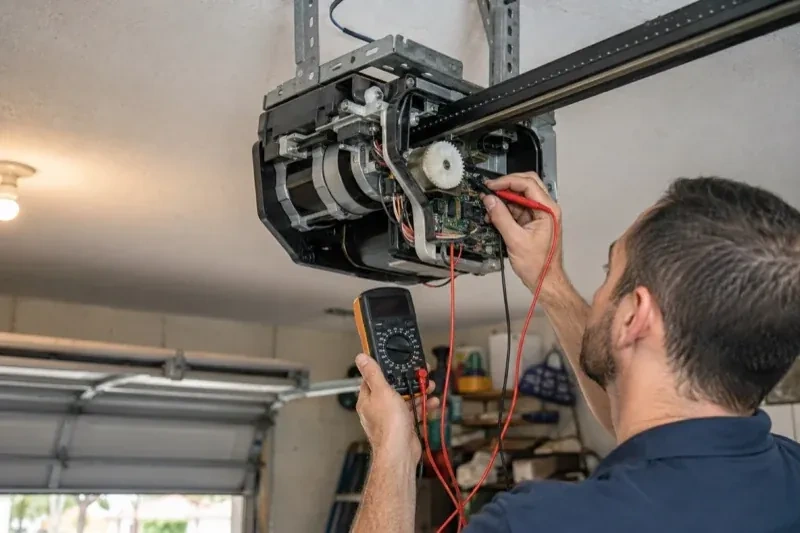
When the opener has its own wireless radio, the work is mostly done at the head unit. The technician puts the opener into its pairing mode, usually by a button press or a sequence on the wall console, which broadcasts a temporary network the phone can see. Through the app the owner selects the home network and enters its password; the opener joins, its indicator turns steady, and the serial number from the label registers the device to the owner's new account. The technician then runs the door from the app and from the wall button to confirm position reporting matches the real door, and applies the firmware update the app offers before moving on to alerts and users.
The monthly tests still matter
Adding a controller changes nothing about the physical checks the door needs, and adds one. Each month, lay a 2x4 flat under the door centre and close it; it must reverse on contact. Break the photo-eye beam with a broom handle while closing; it must stop and rise. Then close the door from the app out of sight, and listen for the beeper and watch for the light before movement. If any of the three fails, stop using the opener, move the door by hand only if it must move, and have a technician correct it before the opener is used again. These tests take a couple of minutes and are why remote closing can be trusted.
Smart Garage Controller Setup
In the van
- Retrofit smart hub
- Replacement photo-eye pair
- Dry-contact adapter for encrypted openers
- Receptacle splitter with approval mark
- Wi-Fi access point or extender
What affects the quote
Same fees day, night or weekend
1Users and devices to set up
Each family member's login, each phone that should receive alerts and each guest access is set up and tested individually, so say how many people are involved.
2Detached garage
A garage separate from the house often means both a signal problem and a longer walk for wiring and testing, and the quote reflects both.
3The opener's generation
Some openers accept a two-wire connection at the wall-control terminals; others use encrypted consoles and need radio pairing or a small adapter between hub and opener. The learn button and label decide which.
Smart Garage Controller Setup: questions
Can I see who opened the door and when?
Yes. The app keeps a history of every open and close with the time and, where a user was signed in, the name. Opens from a remote or the wall button are logged as well, though without a name attached. Many people find this the feature they use most: confirming that a teenager arrived, that a delivery went in, or that the door really did close at bedtime.
How long does the setup take?
A built-in radio that only needs pairing and an account is the shorter visit. A retrofit hub with wiring, a sensor and network work takes longer, and adding an access point for a detached garage or correcting photo eyes first adds to it. The testing at the end, every control plus the safety tests, is never rushed. You are told where things stand once the compatibility check is done.
Will my existing remotes and keypad still work?
Yes. The controller adds a new way to give the opener the same command; it sits alongside the ones you already have. Wall console, remotes and outdoor keypad keep working exactly as before, and each is tested at the end of the visit. If a remote has been failing for reasons of its own, a flat battery or a worn button, that is a separate small fix the technician can do while there.
Openers & Access
Smart Garage Controller Setup near you
Shops, warehouses and service bays in Peterborough have their own list: rolling steel doors, heavy sectional doors, industrial operators, safety edges and high-cycle springs. Alongside our residential work, we service and replace all of these and can set up a maintenance schedule that fits your operating hours.